
Bring HVX200 P2 Clips into FCP via the FireStore FS-100
Sep 1, 2006
We've been using the Focus Enhancements FireStore FS-100, which has an internal 100 GB hard disk, with the Panasonic...
Sep 1, 2006
We've been using the Focus Enhancements FireStore FS-100, which has an internal 100 GB hard disk, with the Panasonic...
Aug 29, 2006
In July 2006, Sony Electronics and Panasonic announced the delivery of a new camera acquisition format known as "AVC-HD"...
Sep 1, 2006
The new Motion Key filter in Boris Continuum Complete 4 does the job, almost by magic, with surprisingly good...

Nov 7, 2019
To help you reach new heights and in order to make your drone flying smaller, lighter, safer, and better,...
Sponsored Content
Aug 10, 2006
Colin Hodges, senior product specialist, Softimage Special Projects, sat down with us at SIGGRAPH to show off some of...
Aug 9, 2006
Gary Meyer, NUKE Sales & Product Specialist, D2 Software sat down with us at SIGGRAPH to show what makes...
Aug 1, 2006
The Generalized Attribute Transfer Operator (GATOR) in SOFTIMAGE|XSI lets you transfer attributes like UVs, Materials, Vertex Colors, Envelope (Skin) Weights and...
Aug 1, 2006
Using Pixar RenderMan's global illumination techniques inside Maya lets you create highly realistic lighting with minimal setup. You can...
Oct 24, 2019
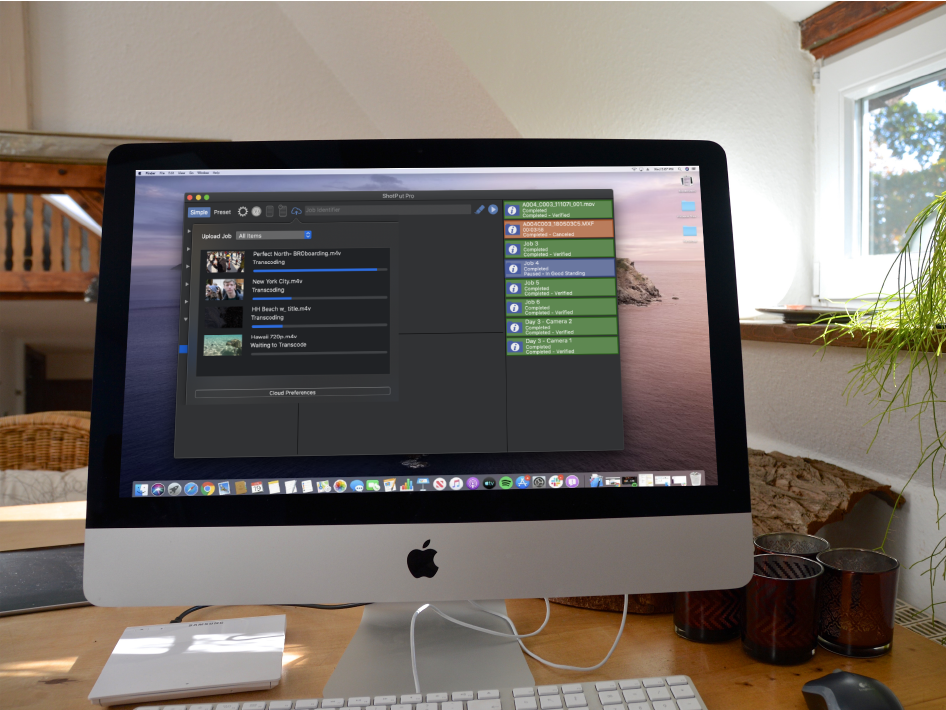
The most recent release of ShotPut Pro 2019.3, integrates with the popular cloud-based collaboration platform Frame.io. ”Imagine Products’ integration with...
Sponsored Content
Aug 1, 2006
A typical 3ds Max scene that uses HDRI (high dynamic range images), global illumination, with lots of geometry looks...
