Related Content


Overall Rating: SWEET

Summary: The latest studio-in-a-box offers six video inputs, more audio capability, chromakeying and virtual sets in a sub-$10K box

Target Apps
Multicamera productions that need to output to broadcast, the Web or a projector

What It Costs You
$9,995

What's Cool
A million dollars of switching, effects, graphics, audio and video playback goodness in a production tool the size of a breadbox. Virtual sets are a great new addition. You can also broadcast, project and stream simultaneously.

What's Missing
HD support; dual-monitor support for the incredibly dense interface; hard-switching surface is a $1K add-on

Specs

Video Inputs: 6 Y/C, 6 composite (BNC), 6 component (BNC)
Video Outputs: 2 Y/C, 2 composite (BNC), 2 component (BNC)
Video Ingest: 1, 4-pin IEEE FireWire, 1, 6-pin IEEE FireWire
Tally: 6 tally light connections
Audio Input: 4 balanced mic/line inputs (XLR or phone)
Audio Output: 2 balanced line outs (phone), 2 unbalanced line outs (RCA), 1 stereo headphone out
IVGA Input: Shift between 3 iVGA client displays

Smart Advice

  • The virtual sets included in LiveSet are all designed with LightWave 3D. It’s also possible to create your own background art or photography using LiveSet Conductor, a free download for owners of any of the TriCasters.
  • A Web streaming function will send live stream directly to the Web, with simultaneous archive for on-demand viewing, while a recording function automatically saves the production to the internal hard drive as a full-resolution video file.


NewTek TriCaster Studio

It is hard to overestimate the impact the original NewTek TriCaster made when it was released in 2005. Quite simply put, this $5,000 shoebox-shaped computer gave anyone wanting to do multi-camera video production most of the tools they needed. Sure, there were limitations. Only three video inputs? No chromakey? But still, the TriCaster defined its own market. And there was so much good stuff to play with— the ability to stream, feed a projector and output video all at once, an onboard digital disc recorder, video editing, graphics and more— that you’d almost feel guilty complaining about any shortcomings.


Like any attentive company, NewTek heard the comments and updated the TriCaster, first with the TriCaster Pro, which added a waveform and vectorscope, two balanced audio inputs and component video inputs. But that just wasn’t enough, and in 2007 NewTek went wild. The TriCaster STUDIO has all the functionality of its older siblings, and much more. In a box that is now about double the volume of the original, the STUDIO version includes six video inputs, any of which can be composite, S-video or BNC-based Y/C sources. There are now four balanced audio inputs, support for tally lights, and you can now work in 16:9 widescreen aspect ratio. And as if that wasn’t enough, get your greenscreen ready for onboard chromakey and even virtual sets. It is no stretch to say that the TriCaster STUDIO features a collection of tools that makes it possible for skilled video producers to create very professional, polished productions of many types. It’s not hard to see why the TriCaster is so popular with church, industrial and streaming-video producers.


Power-Packed Features

Of all the new features, the virtual set function is the most amazing. Called LiveSet, it combines pre-created virtual sets with up to six of your cameras, allowing a wide variety of shots within a synthetic environment. And with NewTek’s LiveSet Constructor program, you can build your own space-age newsroom or Starship bridge, without ever picking up a hammer, jigsaw or paintbrush. Power like this at this price point is nothing short of amazing. (Although I wish there were more than four scant pages in the otherwise very good manual to address LiveSet.)

Layout Complications

I’ve used the original TriCaster on dozens of shoots and consider myself pretty well-versed in its abilities. That said, there are some things that have carried over from the original TriCaster that I’m not crazy about. NewTek adds more (virtual) inputs to the TriCaster by making it possible to display graphics (like PowerPoint presentations) from computers using Ethernet and a little applet called iVGA. This has a few hidden bugs, though. For one, I’ve found iVGA to be susceptible to firewall blocking at every turn; if you don’t supply the presentation computer, get ready for some firewall hacking. Secondly, presenters are generally very resistant to some A/V guy (like me) installing some unknown piece of software on their laptops— if they even know the administrator password to begin with. So for me, a simple scan converter is the solution, and with six video inputs on the TriCaster STUDIO, I’ll probably find somewhere to plug it in.

Secondly, my least favorite part of the original TriCaster was the audio section— not so much for what it was, but for how you had to control it. Nestled down in the lower-right corner of the monitor, four tiny faders need to be manipulated by the mouse cursor, and when you are busy switching a show, this is ridiculously cumbersome. The TriCaster STUDIO has the same layout, but with six faders in approximately the same space. I think an outboard fader box to sit alongside the TriCaster VM [video mixer] hard switching surface would be a big step in the right direction. (Of all the TriCaster versions, I recommend the VM. I consider it essential— a thousand dollars very well spent.)

You may have started to sense my major misgiving with the TriCaster STUDIO: Depending on the level of sophistication you need in your production, it can become quite complicated to use. And making this worse is the graphic display, which has grown cluttered and confusing, with too many things vying for your attention at once. The three major panes of the display have a staggering 13 tabs between them, each of which takes you to another sub-section of the software, such as editing, graphics generation, video capture, and streaming output. It is simply a lot to look at and keep straight. Support for multiple monitors might help alleviate some of the clutter, but one is left with the mental image of a Swiss Army knife with a few too many blades to use easily.

The other missing piece in the TriCaster STUDIO is support for high-definition production. While its major competition, the Sony Anycast Station, costs about twice as much, it does feature the ability to work in HD-SDI with the appropriate input cards. If you are positive that HD production isn’t in your future— and for many folks, especially Webcasters, it may not be— that won’t be an issue. But in a world obsessed with "future-proofing," you have to assume that a prototype TriCaster HD must be humming on a lab bench somewhere.

A Perfect Box for Live SD

Still, if you can live with standard-def production, there is a lot to like in the TriCaster STUDIO. Capabilities like this would have cost over a million dollars 10 years ago, and some, like virtual sets and live Internet streaming, barely existed at all. If you are willing to take the time to learn the ins and outs, there is enormous power and potential in the TriCaster STUDIO.

Bruce A. Johnson works in the new technology department for Wisconsin Public Television and owns Painted Poste Multimedia.

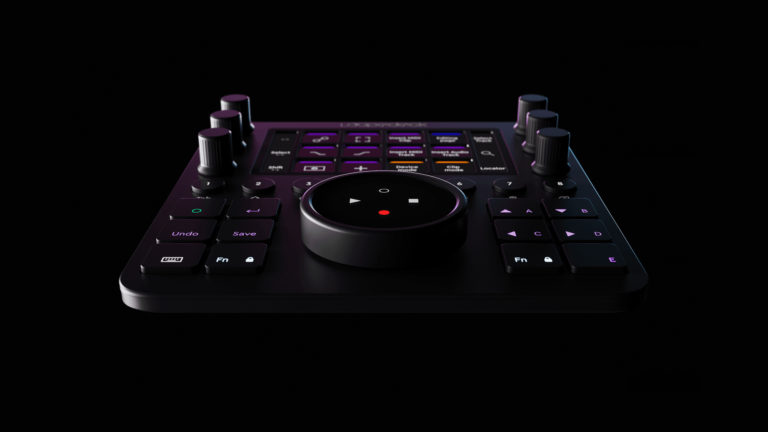
All those connectors on the front of the TriCaster STUDIO add up to lots connection options. You’d be well-advised to put the TriCaster STUDIO under a table or in a rack, though, unless you are willing to wade through an unsightly waterfall of cabling.

All those connectors on the front of the TriCaster STUDIO add up to lots connection options. You’d be well-advised to put the TriCaster STUDIO under a table or in a rack, though, unless you are willing to wade through an unsightly waterfall of cabling.

This screen capture shows off the TriCaster STUDIO’s impressive virtual set capabilities. Unfortunately, it also displays the intensely cluttered interface.

This screen capture shows off the TriCaster STUDIO’s impressive virtual set capabilities. Unfortunately, it also displays the intensely cluttered interface.


Comments (9) for "Psyop Enchants a Sustainable Message for FedEx"
1.
I really like the Tricaster VM--when it works, which is for about 6 weeks. I've had mine in three times in the last 6 months ... and I don't have a lemon. A neighbor has had theirs in 4 times for repair. Newtek has had serious problems with the unit, which they say they've fixed. Maybe 3 will be the charm.
Posted by Daun Korkow on Saturday, May 10, 2008 @ 08:21 PM
2.
I've got three of them, a TriCaster, a Tricaster Pro and a Tricaster Studio and haven't had a failure yet.
Posted by Jeff Cupp on Monday, May 12, 2008 @ 01:08 PM
3.
What I like to see yet in Tricaster is a bigger video overlays for every inputs like in AvTake CutFour mixer software.
Posted by James Antero on Thursday, May 15, 2008 @ 09:55 AM
4.
Ha anyone used or like the Tricaster broadcast unit? What do you think of it? Please respond.
Posted by Tony Tadeo on Friday, August 8, 2008 @ 11:18 AM
5.
James, Tricaster Studio does support overlays for every input.

Tony, I've poked at one during a demo, feature wise it's pretty much the same as TC Studio, except there's SDI in and out.

One note about this review - the original Tricaster does have Chromakey, it's next to the Lumakey control under the Keyer tab.
Posted by Bill Mills on Wednesday, August 20, 2008 @ 09:13 AM
6.
The Tricaster Pro that we overheats, freezes items on the screen, sometimes blacks out live cameras in the window that shows each input, and periodically just plain reboots itself. It does all these things on a regular basis. The machine has had three visits to NewTek and still is problematic. Is there anyone else out there who has had an these problems which I think may come from overheating. If so, did you get them fixed and how?
Posted by Felonise on Saturday, August 30, 2008 @ 10:28 AM
7.
I had some occasional odd freeze/lockup problems with VT[4] (same I/O card and software core as Tricaster with a different interface) which were due to overheating even though the CPU wasn't too hot to operate, I think it caused timing problems. I added a window air conditioner in the room near the CPU, and the problems vanished.

Also, a UPS is a must for a Tricaster. It seems more sentitive to small voltage drops than a lot of other equipment.
Posted by Bill Mills on Tuesday, September 16, 2008 @ 11:48 AM
8.
Does anyone know if there is a way to freeze a computer input image on the output screen so that audience doesn't see the computer being worked on?
Posted by Karen Carver on Tuesday, November 11, 2008 @ 01:30 PM
9.
There seem to be tow types of Tricaster users: Number 1 is the user who has had numerous problems along with several times sending machines back to NewTek to have them fixed only to discover the same problems or others creeping back in when they get them back. OR, user number 2 who has no problems loves their machine, and has never had to send it back to NewTek. I wish I knew how to get from the user number 1 category to user number 2 category, and fast. We loved our Tricasters, starting out, and then ran into a storm of problems from freezing up to trying to get an upgrade registered. We love what the Tricaster can do when it is working. Now the question is; how do we keep ours working. Ours get quite a workout with live production and are turned on for at least 8 hours every day. We have three machines now and were getting ready to purchase another Studio but we have put that on hold for now. It is frustrating because all we want is for it to work like you would expect any type of TV production gear to work; reliably. Getting NewTek to listen and solve problems is not the easiest thing either. They listen, but things don't seem to get fixed as a result. We may be faced with going back to the old standard for doing TV production with a stand alone switcher, character generator/graphics station and audio board and all the other bits and pieces.
Posted by Robert Piekarski on Friday, January 30, 2009 @ 07:25 PM

Bookmark and Share

Post a Comment

Name:
Email:
Comments:

Please enter the letters or numbers you see in the image.
Your message will be reviewed before it is posted

Subscribe to StudioDaily Podcast


  flash video mini-site   rich media tutorials   store  
 
flash video News, analysis, tips and tricks served up daily at the new Studio Daily blog.
 
video tutorials All New Video Tutorials on Softimage Face Robot, Avid Liquid, After Effects, FCP and more!
  downloadable tutorials final cut pro after effects motion  
           
HOME | SUBSCRIBE | TOOLS | TUTORIALS | REVIEWS | BUSINESS | CONTACT | ABOUT US | PRIVACY & TERMS | ADVERTISING


Related Content